
Screen captures, photos, and descriptions
Every image on this page has alt text and a visible description beneath it. The descriptions are the point: nobody has to see the picture to know what it shows and what Pre-Flight is demonstrating.
The available Pre-Flight material is generated demonstration media, not photographs of real people and not screenshots of a creator’s private library. The photo takes are flat, geometric illustrations. The video material is one silent, fifteen-second seeded Reel and still frames extracted from it. No actual screenshots of the Pre-Flight interface were found in the project or hackathon folders; the missing captures are marked at the end of this page rather than replaced with unrelated imagery.
ST-P1 — Clean portrait with sign

Visible description: On a plain taupe background, a blue rectangular figure stands in the centre. It has a round tan face, a brown semicircle of hair, two black-dot eyes, and a small V-shaped smile. Two darker-blue arms reach down to a white rectangular sign held across the lower body. The sign reads “FRACTURED FLOW” in black capital letters.
What it demonstrates: a clean take. The whole subject and the whole sign have room around them, so this is the baseline the framing, crop, text, and first-impression checks should pass.
ST-P2 — Top of head cut off

Visible description: A tall, narrow blue rectangular figure fills the centre from the top edge to below the middle of the square image. A round tan head sits at the top and touches the upper edge, so the top of the head is cut off. Taupe background shows on both sides and below. There are no facial features or sign in this simplified take.
What it demonstrates: a framing problem: the subject reaches the top edge instead of sitting inside the frame with a margin.
ST-P2 after the margin repair

Visible description: The same tall blue figure and round tan head now sit wholly inside the square taupe image. There is a clear margin above the head and below the body, and wider taupe space on both sides.
What it demonstrates: the deterministic re-frame repair. Pre-Flight changes the composition on a copy, then measures the repaired version instead of assuming the repair worked.
ST-P4 — Sign runs beyond the frame

Visible description: A blue rectangular figure with a plain round tan head stands in the centre. Across its lower half is a white sign so wide that it runs beyond the left and right edges of the picture. Three thick black horizontal bars on the sign stand in for lines of text, but the composition makes the sign itself unsafe for platform crops.
What it demonstrates: a crop and text risk: content that matters reaches the edge and would be lost when the post is cropped.
ST-P4 after the fit-to-crops repair

Visible description: The composition has been pulled back. The blue figure and round tan head are smaller, and the complete white sign with its three thick black bars now ends inside the left and right borders, with taupe margin around the whole scene.
What it demonstrates: a deterministic repair that brings the subject and the complete sign into the area the checks can test against the platform crops.
ST-P8 — Private item visible
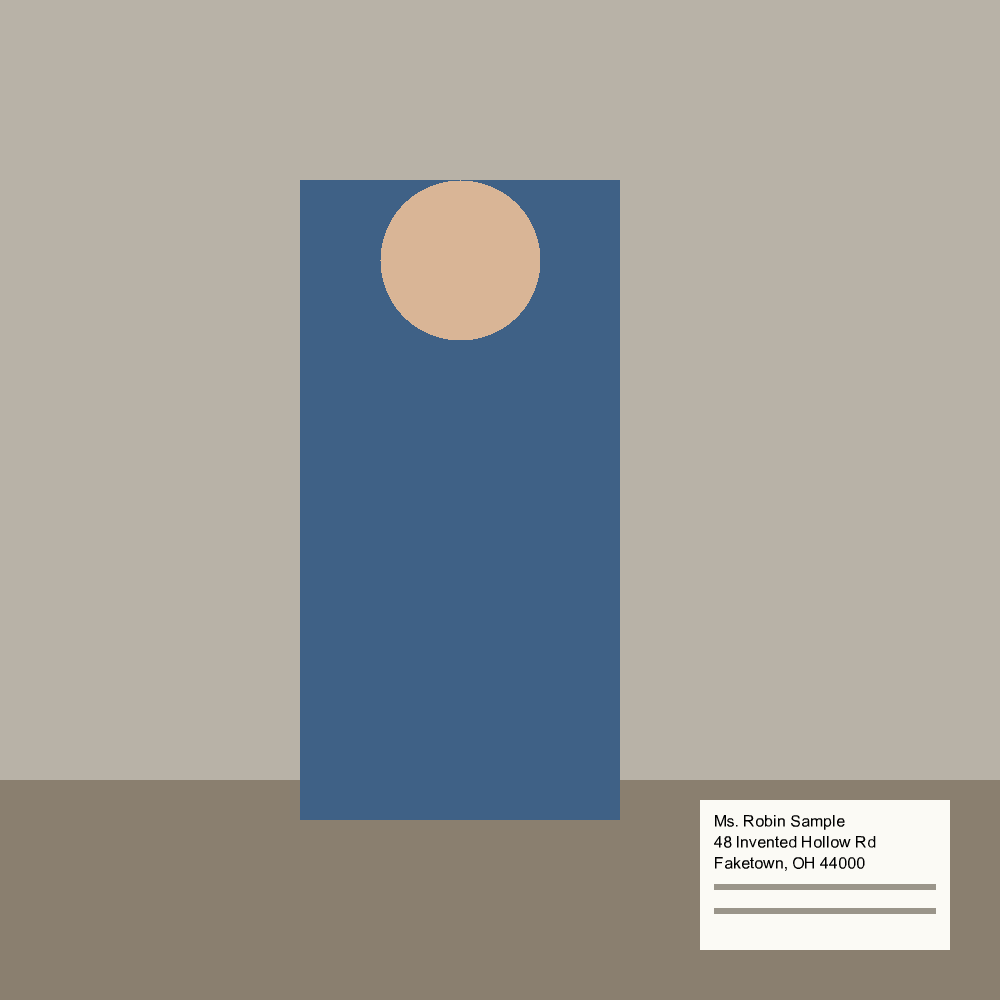
Visible description: A tall blue rectangular figure with a plain round tan head stands against a taupe wall and behind a darker brown desk surface. At the lower right, a white letter reads: “Ms. Robin Sample, 48 Invented Hollow Rd, Faketown, OH 44000.” Two grey lines beneath the address suggest more writing. The name and address are invented for the demonstration.
What it demonstrates: why the private-information warning is separate from the six checks. The portrait can pass its ordinary checks while the readable address on the desk still makes the take unsafe to post without the creator’s explicit acknowledgement.
ST-V2 — Full recorded video frame
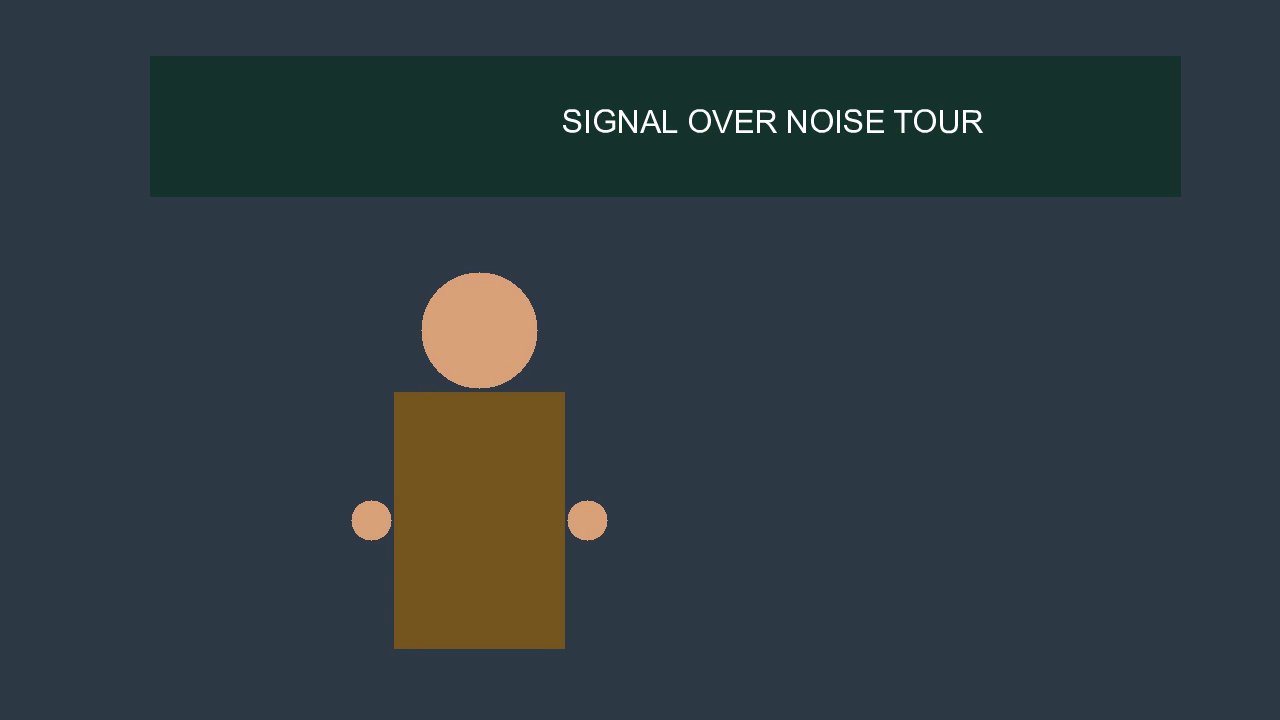
Visible description: In a widescreen frame with a dark blue-grey background, a dark green banner stretches across the upper part. White text on it reads “SIGNAL OVER NOISE TOUR” in full. Below, a stylised figure has a round tan head, a gold-brown rectangular body, and one small tan circular hand visible on each side.
What it demonstrates: the full recorded frame before the platform’s vertical crop is applied. In the recorded frame, the complete banner is present.
ST-V2 — The posted vertical crop
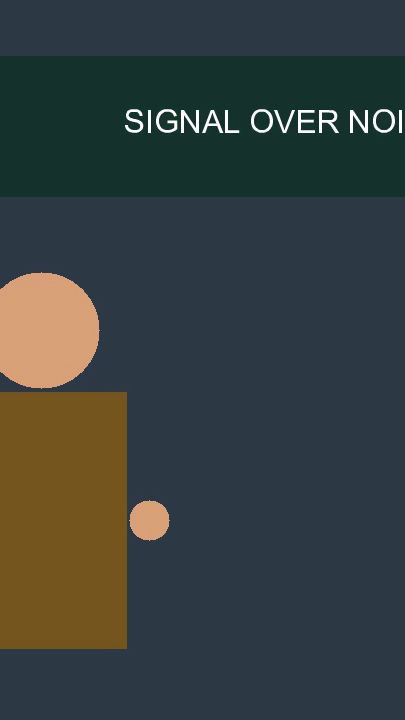
Visible description: The tall vertical crop shows only the centre slice of the widescreen frame. The banner now reads only “SIGNAL OVER NOI” before it is cut off at the right; the rest of “NOISE” and the word “TOUR” are outside the crop. The figure is pushed to the left edge, with part of its head and body outside the frame.
What it demonstrates: the designed crop failure. A banner that is complete in the recording loses its main word when the audience sees the post through the vertical crop.
ST-V2 — Hands-up cover frame
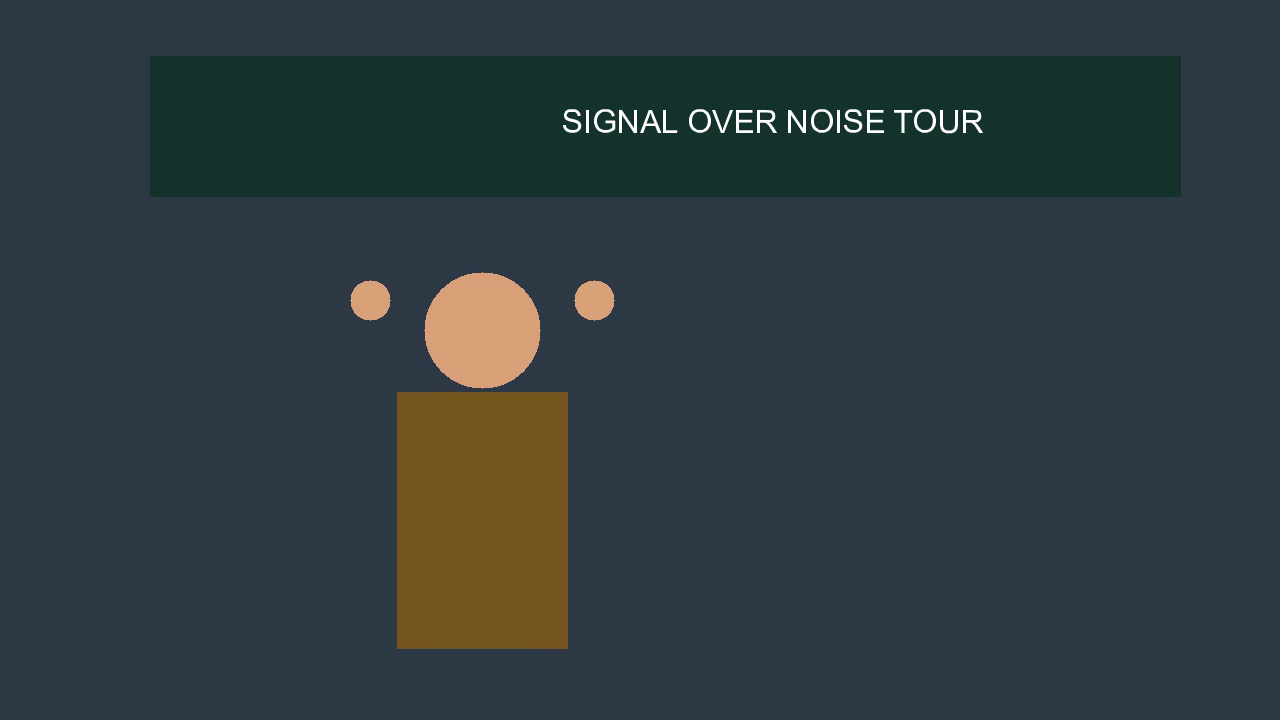
Visible description: The full widescreen frame again shows the complete dark green banner reading “SIGNAL OVER NOISE TOUR.” The stylised figure is centred below it. This moment is from the nine-to-twelve-second hands-up window: a small tan circular hand appears on each side of the round tan head.
What it demonstrates: cover-frame choice. Choosing the moment that represents the post is a selection, not a redraw of the video.
ST-V2 cover frame — Posted vertical crop
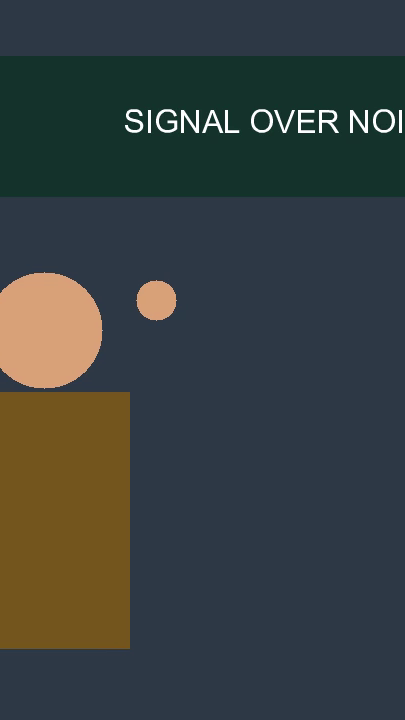
Visible description: In the vertical crop, the banner is again cut off after “SIGNAL OVER NOI.” The figure’s head is clipped at the left, and only one of the raised tan hand circles is clearly inside the picture.
What it demonstrates: choosing a better cover moment does not by itself repair a crop problem. The checks still test the frame the audience will actually see.
ST-V2 — Reframed hands-up frame

Visible description: The dark blue-grey widescreen background is much larger around the subject. Near the centre, the complete dark green banner reads “SIGNAL OVER NOISE TOUR” in smaller white letters. Below it, the complete gold-brown figure is visible with a tan circular hand raised on each side of its head.
What it demonstrates: a stacked deterministic repair: the earlier re-frame is carried into the chosen hands-up cover frame, so the complete banner and both hands are inside the tested picture.
ST-V2 — The seeded video
Visible description: This is the fifteen-second, silent source video for the ST-V2 frames above. A stylised creator stands in front of a banner reading “SIGNAL OVER NOISE TOUR.” The recorded facts place the hands-up signing window from nine to twelve seconds. Because the take is silent, its audio check reports that there is nothing to transcribe and treats the silence as part of the take.
What it demonstrates: Pre-Flight judges the frame the audience will see after cropping, not only the wider recorded frame, and it describes a silent take honestly rather than treating silence as missing audio.
Captures and media not available
Missing capture — Pre-Flight interface: no screenshot of the running web app’s composer, results, repairs, or approval screens was found in the Pre-Flight project or hackathon folders. This slot is intentionally left without a substitute image.
Missing media — ST-V1 and ST-V3: both video takes exist as written specifications, but neither has a media file yet. No frame is shown for either take.
Missing media — speech example: no seeded take ships a separate speech audio file, so there is no speech-transcription example to play or describe here.
Missing media — a creator’s own photo or video: the current build has no upload feature, so there is no real creator-submitted example. The page uses only the seeded demonstration media above.